


 The TechQuilt
 Apple iOS 26, New Features, Performance, Pros and Cons, and iPhone Compatibility
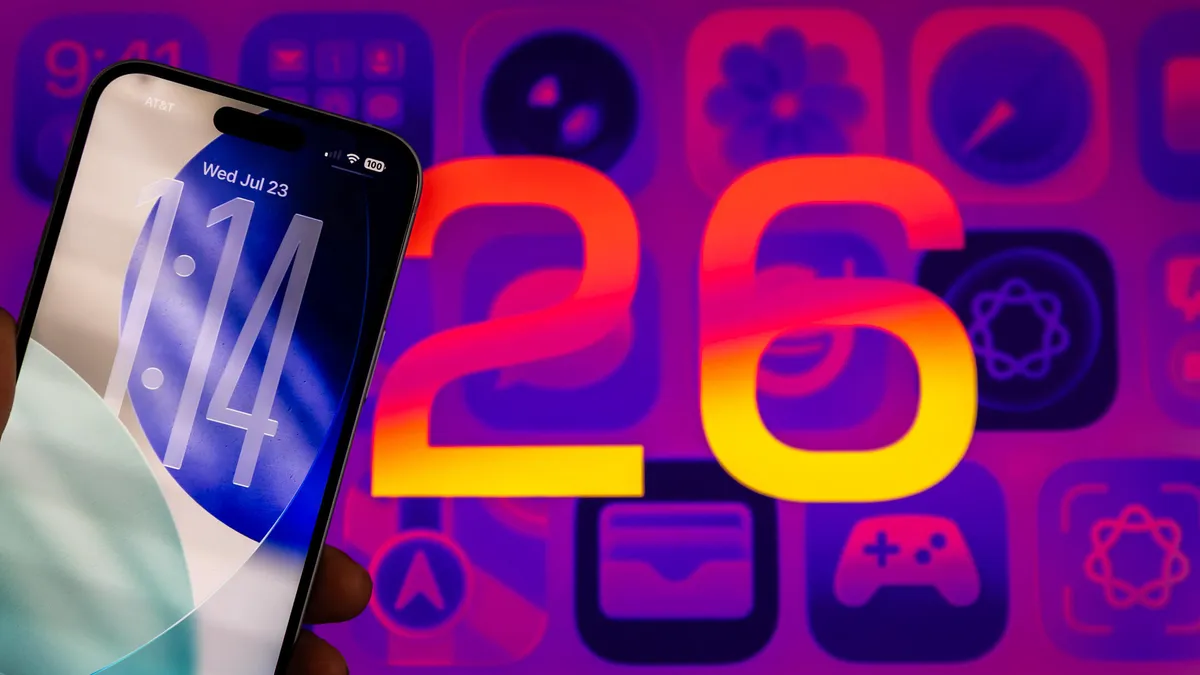
Apple has officially rolled out iOS 26, its biggest software upgrade for iPhones in 2025. This update is more than just a facelift, it introduces 26 powerful new features that change the way users interact with their iPhones. From the futuristic Liquid Glass design to real-time language translations, smarter AI tools, and a central Games hub, iOS 26 is designed to deliver a bold new experience.
Let’s dive into what’s new, how it compares to competitors, its pros and cons, and why this update is a game-changer for iPhone users.
What’s New in iOS 26
Apple has packed iOS 26 with a wide variety of features to improve design, communication, accessibility, and entertainment:
- Liquid Glass design – A translucent interface with glass-like icons, widgets, and lock screen animations that feels modern and dynamic.
- Live translation – Real-time translations for phone calls, FaceTime live captions, and even AirPods language translation support.
- Communication upgrades – Group chat typing indicators, message polls, and customizable backgrounds bring a lively experience to Messages.
- AI and productivity – Smarter Genmoji creation, visual recognition for images, and improved Shortcuts and Reminders.
- Maps and navigation – Preferred routes, visited places history, and cleaner layouts for better travel planning.
- Entertainment and media – Apple Music AutoMix, lyrics translation, a new Games app for organizing all games in one place, and enhanced Wallet features.
- Accessibility improvements – Updated Braille support, multiple journal entries, and CarPlay upgrades.
This update touches nearly every aspect of the iPhone, making it Apple’s most ambitious software refresh to date.
Competitors
Apple is competing directly with Android 15, One UI, and OxygenOS which already offer rich customization and advanced multitasking. Where Apple sets itself apart is in deep integration—the Liquid Glass design works seamlessly across iPhones, iPads, and Macs. Add to this Apple’s focus on privacy, security, and on-device intelligence, and iOS 26 gains an edge in user trust and design consistency.
Pros and Cons
| Pros | Cons |
| Modern Liquid Glass design with stunning animations. | Battery drain issues reported by early adopters. |
| Real-time translations improve global communication. | Some features are limited to newer iPhone models or regions. |
| Smarter AI tools like Genmoji and visual recognition. | Heavier system animations may feel slower on older devices. |
| Improved Maps, Wallet, and accessibility features. | Not everyone may prefer the flashy translucent design. |
Performance
Apple claims iOS 26 is more responsive and efficient. Animations are smoother, background tasks are optimized, and apps launch faster. However, some users have noticed battery drain and heating issues after updating. Apple clarified that initial indexing tasks may temporarily affect performance, and improvements should follow after a few days of use.
For owners of newer iPhones like the iPhone 15 and iPhone 17 series, iOS 26 runs at its best with full support for Liquid Glass effects and advanced AI features.
Comfort and User Experience
Using iOS 26 feels like holding a futuristic device. The lock screen animations, translucent icons, and dynamic widgets add a premium touch. Conversations are more engaging with polls, custom chat backgrounds, and group typing indicators. For music lovers, AutoMix and lyrics translation in Apple Music enhance entertainment comfort.
Accessibility has also improved, making iPhones more inclusive with better Braille support and CarPlay updates.
Interior (User Interface)
The UI refresh in iOS 26 is one of its biggest highlights:
- Transparent controls and glass-like buttons across system apps.
- Redesigned Phone, Messages, and FaceTime apps with new layouts and translation tools.
- A Games app centralizes all your games and Game Center friends.
- Maps with preferred routes and history for easier navigation.
This design shift blends elegance with functionality, ensuring the iPhone feels new again.
Trim Levels (Feature Availability)
- Older iPhones (iPhone 11 to iPhone 13): Get most features but may miss out on advanced animations and some AI enhancements.
- Latest iPhones (iPhone 15 and iPhone 17 Pro): Full Liquid Glass effects, smoother performance, and complete feature set.
- Region-specific features: Live captions, lyrics translation, and some Wallet features may launch gradually worldwide.
Conclusion
iOS 26 is Apple’s boldest iPhone update yet. It combines futuristic design, smarter communication, and enhanced productivity with AI-driven tools. While some users may face minor performance hiccups initially, the update overall sets a new benchmark in mobile software.
If you want your iPhone to look stunning, work smarter, and feel more connected, iOS 26 is absolutely worth downloading. Apple has once again redefined how we use our smartphones, blending design, innovation, and everyday utility into one powerful update.
 Avik Roy Chowdhury